




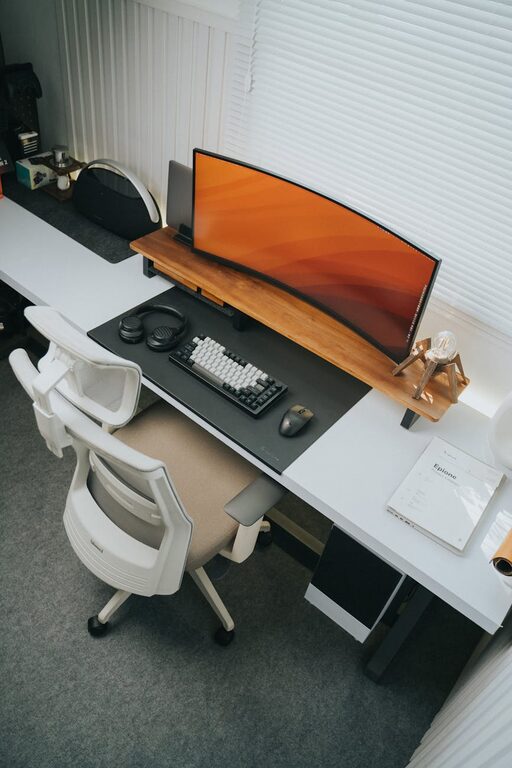
Creating an organized home workspace can make a significant difference in your daily productivity and overall work experience. Whether you’re working remotely full-time, handling side projects, or managing household tasks, having a clean and well-arranged area helps reduce distractions, enhance focus, and boost your efficiency. In this post, we’ll explore practical tips to help you organize your home workspace effectively.
Why Organizing Your Workspace Matters
An organized workspace isn’t just about aesthetics. It contributes to better mental clarity and can reduce stress caused by clutter. When everything you need is within easy reach and the environment feels inviting, you’re more likely to concentrate and complete tasks quickly.
Assess Your Current Setup
Before diving into organization, take a moment to evaluate your existing workspace. Ask yourself:
– What items do I use daily?
– What causes clutter or distractions?
– Is my furniture arranged for comfort and efficiency?
– How’s the lighting and air quality?
Understanding these aspects will help you identify what to keep, discard, or improve.
Easy Steps to Organize Your Home Workspace
1. Clear the Clutter
Start by removing all unnecessary items from your desk and surrounding area. This includes old papers, gadgets you no longer use, or random household objects. Keeping only essential items on your desk creates a focused work zone.
2. Use Smart Storage Solutions
Invest in storage options like drawers, shelves, or desk organizers to keep supplies like pens, notebooks, chargers, and files neatly stored. Label boxes and files if it helps you find things quickly. Vertical storage can also save floor space and keep your desk clear.
3. Arrange Your Desk for Efficiency
Place frequently used items within arm’s reach to reduce distraction from constantly moving around. Position your computer screen at eye level to maintain good posture and avoid neck strain. Use a comfortable chair that supports your back during long work hours.
4. Manage Cables and Electronics
Tightly coiled cables or tangled cords can add to clutter and even cause accidents. Use cable clips, ties, or sleeves to keep them organized and out of sight. Unplug devices not in use to reduce clutter and save energy.
5. Optimize Lighting
Good lighting reduces eye strain and creates a pleasant atmosphere. Whenever possible, use natural light by placing your desk near a window. Supplement natural light with adjustable desk lamps that provide focused illumination when needed.
6. Personalize Thoughtfully
Adding personal touches like photos, plants, or artwork can make your workspace inviting and motivating. However, avoid overwhelming the space with too many decorations, which can become distracting.
7. Establish a Cleaning Routine
Regularly tidying your workspace keeps clutter from building up again. Set a weekly schedule to dust surfaces, wipe down electronics, and organize files or supplies. A clean environment fosters better productivity and a positive mindset.
Additional Tips for Maintaining Productivity
– Set Boundaries: Define your workspace as a dedicated area for work only, helping to switch between professional and personal mindset.
– Incorporate Ergonomics: Use adjustable chairs, monitor stands, or footrests to maintain comfort and prevent strain.
– Use Task Organizers: To-do lists, planners, or digital tools help keep track of tasks and deadlines without cluttering your desk with notes.
– Take Breaks: A clean and well-organized space can encourage you to step away briefly and return with renewed energy.
Final Thoughts
Organizing your home workspace need not be overwhelming. By taking simple, consistent steps to clear clutter and arrange your environment thoughtfully, you create a space that supports your productivity and well-being. Remember, the goal is to design a workspace that works for you—comfortable, efficient, and inspiring.
Start small today, and enjoy the difference an organized workspace can make!